
01Reliability
An Access database is broken, slow, or unreliable.
Microsoft Access Support
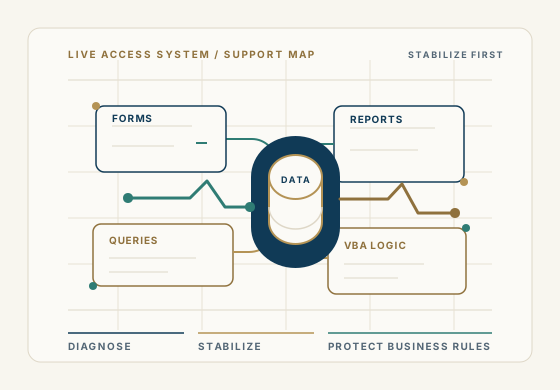
Access support starts with the system you already have: the forms, reports, queries, VBA code, data, and business rules your team depends on.
Begin a DiscussionWhen support is the right first move
The first goal is to understand what the application does, where the pressure is, and what cannot be disrupted.
An Access database is broken, slow, or unreliable.
A critical form, query, VBA process, or report no longer works as expected.
The original developer is unavailable and the system still runs the business.
Users are running into errors, conflicts, or performance issues.
The application needs careful changes without disrupting daily work.
The business needs to understand whether support is enough or modernization should be planned.
What support can include
Troubleshooting Access forms, reports, queries, macros, and VBA code.
Stabilizing business-critical Access applications already in daily use.
Improving performance, reliability, and multi-user behavior where practical.
Understanding inherited applications when the original developer is gone.
Planning safe changes to existing workflows, reports, and data structures.
Advising when SQL Server, Azure SQL, or a new platform should be considered.
Support without a sales pitch
Before we touch the system
Many Access applications have years of decisions embedded inside tables, queries, forms, reports, and VBA. Support work should respect that history.
We start by understanding the role the application plays, the users affected, the current pain, and the safest path to restore confidence.
Common Microsoft Access support problems
Common Microsoft Access problems often point to a more specific next step. These pages help connect the symptom to support, development, modernization, or a careful data-platform decision.
Diagnose performance, growth, multi-user, query, and backend issues.
Corrupted databaseProtect backups and triage suspected corruption before more repair attempts.
Won't openReview file, startup, linked-table, permission, and workstation causes.
Developer unavailableStabilize inherited Access applications when the original developer is gone.
Begin a discussion
Share what changed, what is failing, how the application is used, and what your team needs to keep running. We will help you determine a practical first step.
Begin a Discussion