
01Code memory
Nobody understands the VBA code.
Access database developer no longer available
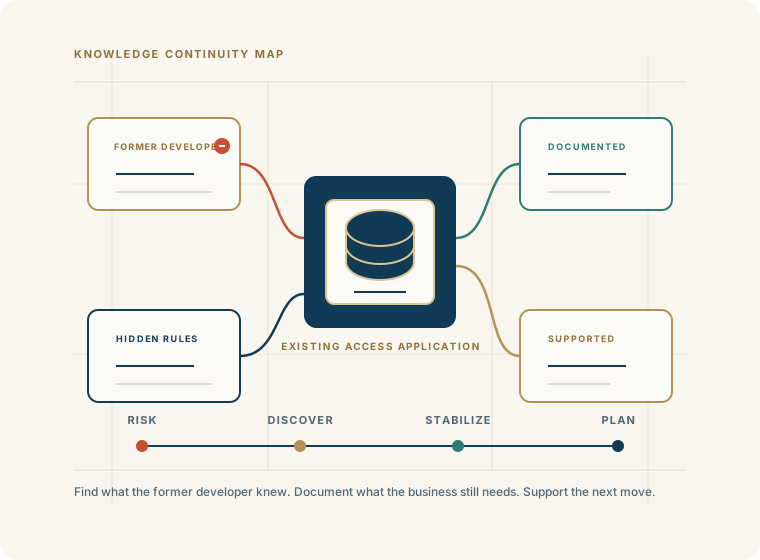
The person who built or maintained your Microsoft Access application may have retired, left the company, changed careers, or simply become unavailable.
Now your business is relying on an application that may contain years of accumulated data, business rules, forms, reports, queries, VBA code, and processes — but nobody on your team knows exactly how it works.
You do not necessarily need a new system. You need someone who can understand the one you already have. The fact that your Access developer is gone does not mean your business application has to go with them.
Begin a DiscussionWhat happens when your Access developer leaves?
This is not unusual with business-critical Access applications that have evolved over many years. They often continue to work, but the knowledge needed to maintain them has quietly left the business.
Nobody understands the VBA code.
Nobody knows how the tables relate to one another.
Nobody knows how reports are generated.
Nobody knows where every database file, linked table, or dependency is located.
Small problems have become difficult to resolve.
Users are afraid to change anything because there is no current documentation.
The application contains undocumented business rules.
Nobody knows whether backups, deployment, or maintenance are being handled properly.
The organization does not know whether Microsoft Access remains the right fit.
You do not have to replace the application
When the original Access developer is no longer available, the natural reaction may be to start looking for a replacement system. That can become an expensive and disruptive decision.
An existing Access application may contain years of accumulated business knowledge. Its forms, reports, queries, and VBA code may represent processes that are critical to the organization but are not documented anywhere else.
We can evaluate the existing database, determine how the application works, identify its strengths and weaknesses, and establish what needs to be done to support it going forward.
In many cases, the most practical answer is to keep the application and establish knowledgeable support around it. If modernization eventually makes sense, you will be in a better position to make that decision because you understand what the existing system actually does.
How we take over and support an existing Access application
What we look at when taking over an Access database
Simply opening the tables is not enough. A business-critical Access application may depend on hidden relationships among queries, forms, reports, VBA, external files, and user routines.
Existing Access application
What if nobody knows how the application works?
The application may work perfectly, but nobody knows what is happening behind the scenes. A form may depend on a query that depends on another query. A report may contain business logic that exists nowhere else. A VBA procedure may automatically update several tables.
Simply looking at the tables does not necessarily reveal how the application works. We can work through the application systematically to identify its major components, dependencies, and business processes.
The result is a clearer understanding of what the application does, what needs attention, and what should be preserved before anyone begins making major changes.
Access application documentation
Database schema and table relationships.
Query, form, report, macro, and VBA/module inventories.
External dependencies, data flows, startup procedures, and deployment configuration.
Business process descriptions, known issues, recommended improvements, and modernization opportunities.
40+ years of business database experience
Access For Business helps organizations take over, support, document, repair, and improve existing Microsoft Access applications. We evaluate the existing system, determine how it works, identify risks and problems, and establish a practical plan for keeping the application running.
That may mean simply providing ongoing support. It may involve documenting and improving the existing application. Or, if the application has reached the limits of its current architecture, it may mean developing a path toward SQL Server, Azure SQL, or a more modern application.
Ongoing Microsoft Access support
Troubleshooting, bug fixes, and user support.
Enhancements, new reports, new forms, query changes, and VBA modifications.
Performance improvements, database maintenance, and backup/recovery guidance.
SQL Server or Azure SQL integration when the data layer needs a stronger path.
Is your Access application too old to support?
A 15-year-old application that works well may need less attention than a three-year-old application that nobody understands.
Does the application still meet business requirements?
Is the data reliable, stable, and backed up properly?
Is the application maintainable by someone other than the original developer?
How many users, reports, deadlines, and workflows depend on it?
Does it integrate with current systems?
Does it need web, mobile, security, or multi-location capabilities the current architecture cannot support?
When should an Access application be modernized?
The user base has grown substantially.
The database is approaching architectural limits.
Multiple locations need reliable access.
The application needs web access.
The data needs to move to SQL Server or Azure SQL.
Integration requirements have increased.
Security requirements have changed.
The application has become difficult to maintain.
The business needs capabilities the existing application cannot provide.
FAQ
The practical question is not whether someone can write code. It is whether the existing system can be understood, protected, documented, and supported without disrupting the business.
Start by preserving backups, identifying the most important workflows, and reviewing the application before making risky changes. The immediate goal is continuity; the longer-term goal is a supportable system.
Yes. A knowledgeable Access consultant can review the database structure, forms, reports, queries, VBA, linked data, deployment, and business workflows before providing support or making changes.
Yes. Many Microsoft Access support situations involve inherited applications. The work starts by understanding how the application is organized and what the business depends on.
Often, yes. The work is slower and more careful, but the application can usually be examined through tables, relationships, queries, forms, reports, macros, VBA, dependencies, and user workflows.
Useful documentation usually includes schema, relationships, object inventories, VBA/module notes, external dependencies, startup procedures, data flows, known issues, and business process descriptions.
Age alone does not determine whether an Access application should be replaced. A 15-year-old application that works well may need less attention than a newer application that nobody understands.
Not automatically. Before replacing the application, it is usually better to understand what the current system does, what business rules it contains, and whether support, documentation, improvement, or modernization is the practical next step.
Yes, in many cases. The Access forms, reports, and VBA may continue to provide the front end while SQL Server or Azure SQL becomes the data backend, but the right architecture depends on the application and business requirements.
Begin a discussion
Share what the application does, who built or maintained it, what users rely on, what is no longer understood, and what cannot be disrupted.
Begin a Discussion