
01Business reason
What problem is SQL Server expected to solve: performance, reliability, multi-user access, reporting, backup discipline, security, or growth?
How to migrate Access to SQL Server
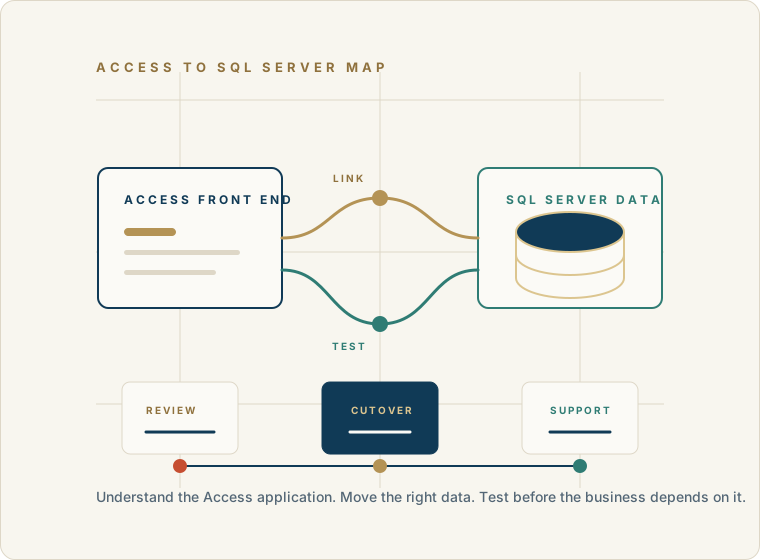
If your Microsoft Access database has outgrown its current architecture, SQL Server can provide a stronger foundation without necessarily replacing the Access application your users already know.
The practical question is not “How do we get rid of Access?” It is “Which part should change, which part should keep working, and how do we move forward without disrupting the business?”
Discuss an Access to SQL Server PathBefore migration
SQL Server can be the right backend for an Access application, but the migration should be tied to a clear business and technical need.
What problem is SQL Server expected to solve: performance, reliability, multi-user access, reporting, backup discipline, security, or growth?
Which Access tables, relationships, queries, forms, reports, macros, and VBA routines are business-critical?
Should Microsoft Access remain the front end while SQL Server becomes the data backend?
Which queries should continue running in Access and which should move closer to SQL Server?
How will users be tested, trained, and moved to the new backend without disrupting daily work?
What moves
Tables are only one layer of a business-critical Access system. The data, application behavior, and integrations all need a place in the plan.
Map data types, nullability, defaults, keys, indexes, relationships, and validation rules before loading records.
Review Access SQL, joins, action queries, pass-through queries, stored procedures, and calculations that may need rewriting.
Keep useful Access screens where they fit, then test their record sources, filters, calculations, and report output.
Trace modules, event procedures, references, Excel and Outlook automation, APIs, imports, exports, and other dependencies.
Migration path
Treat SQL Server as a data-platform decision and treat the Access application as a working business system that deserves careful handling.
Review tables, relationships, forms, reports, queries, macros, VBA, linked data, security assumptions, users, and the business processes the application supports.
Decide what belongs in the data platform and what should remain application behavior in the Access front end.
Identify primary keys, data types, relationships, naming issues, duplicate data, invalid values, and tables that need cleanup before migration.
Move tables and data deliberately, recreate keys and relationships, and validate the migrated records.
Connect the Access front end to SQL Server using an appropriate ODBC, linked-table, or server-side pattern.
Review indexes, queries, pass-through options, forms, reports, and VBA so the new architecture performs well.
Validate queries, forms, reports, VBA, permissions, performance, user workflows, and the reports leadership depends on.
Plan backups, cutover timing, user copies, fallback options, and post-migration support before production work depends on SQL Server.
Monitor the new environment, document the changes, and keep improving the application as the business evolves.
Front end and backend
What we inspect
Moving tables is only one layer. The application, data model, and rollout controls all need to be visible before production work depends on SQL Server.
Move the data with the application in view.
40+ years of business database experience
Microsoft Access applications often contain years of operational knowledge in queries, reports, forms, VBA code, field names, user habits, and exceptions. Moving tables without understanding those relationships can create new problems instead of solving the old ones.
Access For Business helps organizations decide whether SQL Server is the right next step, whether Access should remain the front end, and what must be tested before production work depends on the new backend.
Why organizations consider SQL Server
A stronger centralized database backend for larger or more important data sets.
Better support for multi-user data access when the current Access file setup is becoming fragile.
More disciplined backup, security, administration, and reporting options.
The ability to keep useful Access forms and reports while improving the data layer.
A modernization path that does not require rewriting the whole application at once.
When to pause
No one has reviewed which tables, queries, reports, or VBA routines are actually used.
The database has corruption, broken logic, or unreliable backups that need attention first.
The business does not know which workflows cannot be disrupted during cutover.
The team assumes SQL Server alone will fix poor query design, weak forms, or unclear business rules.
There is no testing plan for users, reports, performance, permissions, and rollback.
Avoidable risk
Choosing the target
Runs on infrastructure you control, with more hands-on responsibility for hosting, security, maintenance, and administration.
Best fit when control and existing infrastructure matter.Provides a managed cloud database service with native remote access and less infrastructure to operate.
Best fit when managed cloud infrastructure aligns with requirements.Project shape
There is no responsible one-size-fits-all estimate. Timing depends on the number of tables, data volume, users, forms, reports, query complexity, VBA, integrations, documentation, database quality, and target architecture.
A simple application may be relatively straightforward. A business-critical application that has evolved for years may need deeper analysis, staged testing, and a carefully managed rollout.
Talk through your migration pathHow we can help
Reviewing whether SQL Server is the right next step for the Access application.
Mapping the existing Access data model, forms, reports, queries, macros, and VBA dependencies.
Planning which tables should move, which Access objects should remain, and what should be rewritten.
Testing linked tables, pass-through queries, reports, forms, permissions, and user workflows.
Creating a practical migration, rollout, and support plan based on what the business actually needs.
FAQ
The most useful migration questions are not only technical. They are about what the business needs to keep working during and after the move.
Yes. A common architecture keeps Microsoft Access as the front end for forms, reports, queries, and VBA while SQL Server stores the data tables as the backend.
Not necessarily. Many organizations move the data layer to SQL Server while keeping the Access front end where it remains useful. Full replacement is a separate decision.
Not automatically. SQL Server can improve the data platform, but forms, queries, VBA, indexes, network behavior, and application design still need to be reviewed and tested.
Review tables, relationships, primary keys, data types, queries, forms, reports, VBA, linked data, user workflows, backups, permissions, and the reason for migration.
Often they can, but they should be tested carefully. Some queries, forms, reports, or VBA routines may need adjustment after the data moves to SQL Server.
SQL Server may be appropriate when data has grown, multiple users need stronger reliability, reporting needs increase, backup and administration requirements mature, or the current Access backend is limiting the business.
Begin a discussion
Share what the Access application does, what is slow or unreliable, how many users depend on it, and whether you want Access to remain part of the solution.
Begin a Discussion