
01Won't open
Microsoft Access will not open the database.
Access database corrupted
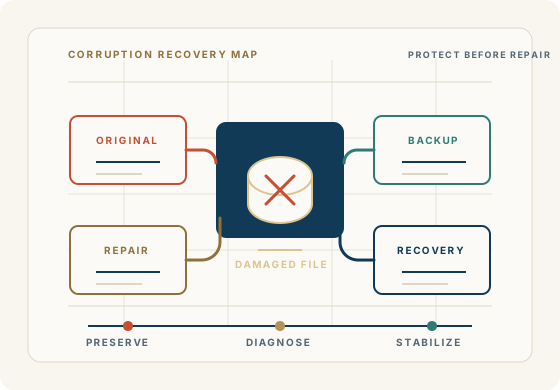
If your Microsoft Access database suddenly won't open, displays an error message, behaves unexpectedly, or appears to have lost data, the database may be corrupted.
Access database corruption can range from a relatively minor problem that can be repaired to serious structural damage that requires specialized recovery techniques. The first step is determining what happened and protecting the original file before attempting repairs.
Access For Business has more than 40 years of experience working with business databases and applications. If your business depends on the database, don't guess at the repair.
Get Help With a Corrupted Access DatabaseSigns your Access database may be corrupted
The problem may be the file itself, the Access front end, the back end, linked tables, VBA, permissions, the network, or a damaged object inside the application.
Microsoft Access will not open the database.
Access reports that the database needs to be repaired.
Forms, reports, tables, or queries suddenly fail.
Records appear to be missing, duplicated, locked, or unreliable.
VBA code, macros, or references stop working after an interruption.
Users receive different errors when opening the same database.
Access freezes, crashes, or behaves differently after a power, workstation, or network problem.
The application has suddenly stopped working properly and the business depends on it.
What should you do first?
Stop making changes to the original file and work from a copy whenever possible.
Preserve the original database, recent backups, and any known-good copies before attempting additional repairs.
Determine whether a recent backup exists. A clean backup may be safer than increasingly aggressive repair attempts.
Capture the exact error message, when it appears, and which users, objects, forms, reports, or tables are affected.
Identify what happened immediately before the problem: power failure, crash, network interruption, Windows problem, hardware issue, application change, file growth, or multiple-user conflict.
Do not repeatedly run repair operations against the only copy if the database contains critical business data.
Repair, recovery, or reconstruction
What causes Access database corruption?
If several users are working with an improperly configured shared Microsoft Access database, network interruptions or unexpected disconnections can contribute to database problems.
A power failure, forced shutdown, workstation crash, network interruption, or unexpected termination of Access can leave a database in an unstable state.
Improperly split databases, excessive network dependency, inappropriate storage arrangements, linked-table issues, file growth, and long-term accumulation of unused objects can increase reliability risk.
Recent modifications to forms, reports, queries, VBA, references, Windows, Office, storage, permissions, or deployment can produce symptoms that look like corruption and need careful triage.
Database recovery and repair
Corrupted .accdb files and legacy .mdb databases.
Databases that will not open or open inconsistently.
Damaged tables, forms, reports, queries, macros, VBA code, references, or linked tables.
Data recovery, object recovery, or database reconstruction when ordinary repair is not enough.
Inherited Microsoft Access applications where the original developer is no longer available.
Multi-user database problems, split database issues, front-end/back-end deployment, and reliability risks.
40+ years of business database experience
A Microsoft Access database may contain years of operational knowledge: data, business rules, customized forms, reports, queries, and VBA. Corruption work should respect that history before changing files or structure.
With 40+ years of business database experience, Access For Business helps separate urgent repair from larger support, reliability, and modernization decisions.
Microsoft notes that Compact and Repair can help prevent or fix certain Access database file problems, and also recommends split databases for shared environments. We use that kind of practical guidance as a starting point, then look at the actual business application in front of us.
Prevent future corruption
If the application has served the business well, the better approach may be to recover the database, correct the underlying weakness, and improve how the application is maintained or deployed.
Regular backups that are tested, not merely assumed.
Properly split multi-user databases with local front ends for each user.
Reliable network infrastructure and appropriate storage for the Access back end.
Maintenance practices such as Compact and Repair where appropriate and only after backups are protected.
Monitoring database growth, multi-user behavior, and recurring slow or unstable performance.
Moving the data backend to SQL Server or Azure SQL when usage, reliability, or scale warrants it.
FAQ
Quick answers for protecting the original file, understanding repair limits, and deciding whether this is a recovery, support, or modernization issue.
Start by protecting the original file, preserving backups, and working from copies. The right repair path depends on what is damaged, how severe the corruption is, and what data or application objects must be protected.
Sometimes. Minor problems may be repairable, while serious structural damage may require deeper recovery or reconstruction. No responsible provider should guarantee full recovery before reviewing the file, backups, symptoms, and business impact.
Compact and Repair can help prevent or correct some Access database file problems, but it is not a universal fix. If the database contains important business data, make a backup before using it.
Possible causes include interrupted writes, power loss, crashes, network instability, shared-file usage, file growth, split-database problems, linked-table issues, storage problems, or application and deployment choices.
An Access database may fail to open because of corruption, permissions, startup code, damaged forms, linked-table problems, broken references, file locking, network paths, workstation issues, or environment changes.
Recovery depends on the damage. A careful review may involve copies, backups, importing objects, examining tables, reviewing system errors, and determining whether usable data or application components can be safely extracted.
Yes. Many corruption and repair situations involve inherited Access applications where the original developer is no longer available. The work starts by understanding the structure, data, forms, reports, queries, VBA, and business rules before making changes.
SQL Server may be appropriate when corruption risk, growth, multi-user load, network behavior, backup requirements, or reliability needs have outgrown the current setup. It does not automatically mean throwing away the Access front end.
Begin a discussion
Share the error message, when it started, whether backups exist, which users are affected, and what data, forms, reports, or workflows cannot be disrupted.
Begin a Discussion