
01Urgency
If data may be damaged or the file will not open, protect copies before repeated repair attempts.
Common Microsoft Access problems
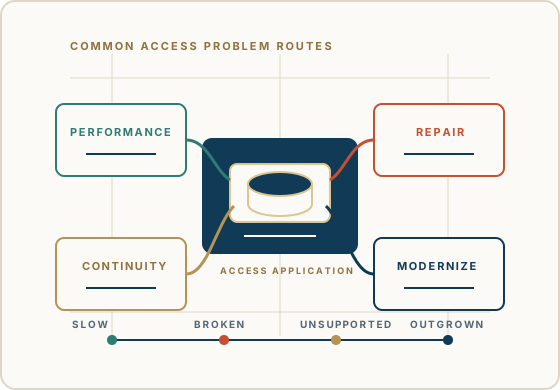
Microsoft Access problems rarely fit neatly into one label. A slow database, a corrupted file, a missing developer, or a migration question may all point to the same deeper issue: the business depends on an application that needs careful attention.
Use this page as a practical directory. Choose the closest situation, then move toward support, development, SQL Server, Azure SQL, or modernization with the existing system in view.
Begin a DiscussionHow to choose
The directory is organized by what the business is experiencing first: urgent repair, unclear symptoms, continuity risk, or architecture pressure.
If data may be damaged or the file will not open, protect copies before repeated repair attempts.
If the problem is broad, start by locating whether it lives in the file, object, code, data, or user environment.
If the original developer is gone, the first problem is knowledge continuity, not immediate replacement.
If performance, sharing, or scale is the pressure point, evaluate SQL Server, Azure SQL, or staged modernization.
Problem directory
These groups keep the site simple for visitors while giving search engines a clear map of the Microsoft Access lifecycle topics Access For Business covers.
For Access databases that technically still work, but have become slow, unreliable, difficult to share, or hard to trust.
For situations where the database may be damaged, will not open, or has become too fragile for casual repair attempts.
For inherited Access applications where the business still depends on the database, but the knowledge around it is thin.
For organizations deciding whether Access should be improved, connected to a stronger data backend, or replaced in stages.
40+ years of business database experience
Access For Business helps organizations look at the whole Access application: forms, reports, queries, VBA, linked data, users, business rules, history, and what cannot be disrupted.
The right next step may be repair, support, development, performance work, SQL Server, Azure SQL, or modernization. The starting point is understanding what is actually happening.
Begin a discussion
Share what changed, what is failing, who depends on it, and what cannot be disrupted. We will help connect the problem to a practical next step.
Begin a Discussion